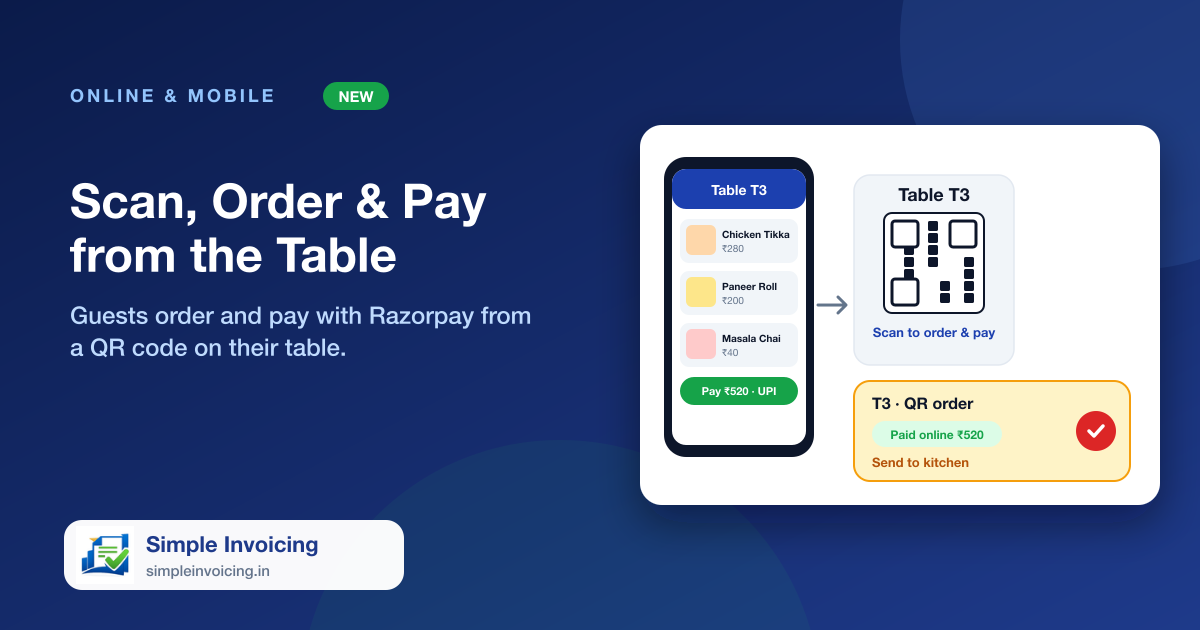
Put a QR code on every table. A guest scans it, browses your menu with photos, pays through Razorpay and the order lands on the waiter's floor screen for that exact table, already paid. No app to install and no waiting to catch someone's eye.
What you can do
One private QR per table
Each table has its own QR code tied to your company and that table. Print one card per table or all of them at once. If a printed code ever leaks, replace it and the old one stops working at once.
Pay first, then the kitchen
The guest pays by UPI, card or net banking before the order is placed. Unpaid attempts never reach your staff, and prices and GST always come from your menu, never from the guest's phone.
The waiter is told immediately
The table shows Paid online with the amount, a QR order waiting for the kitchen, and a sound and message alert. If the table already has a bill, the new dishes are added to it.
Settle with the money already credited
At settlement the online payment is credited first and recorded on the invoice with its Razorpay reference. The waiter collects only what is left.
Also included
- Guests see live progress: order received, then being prepared
- Works even if the guest closes the page right after paying
- Uses the Razorpay account already connected to your company
- Sold-out dishes are hidden and large orders are limited
Frequently asked questions
Do guests need to install an app or sign up?
No. They scan the QR with the phone camera, enter their name and mobile number and pay.
What if a guest orders a dish the kitchen has run out of?
Dishes with stock tracking that have run out are hidden from the menu. Staff can also cancel a sent dish with a reason, and refunds are made from Razorpay.